
-22%

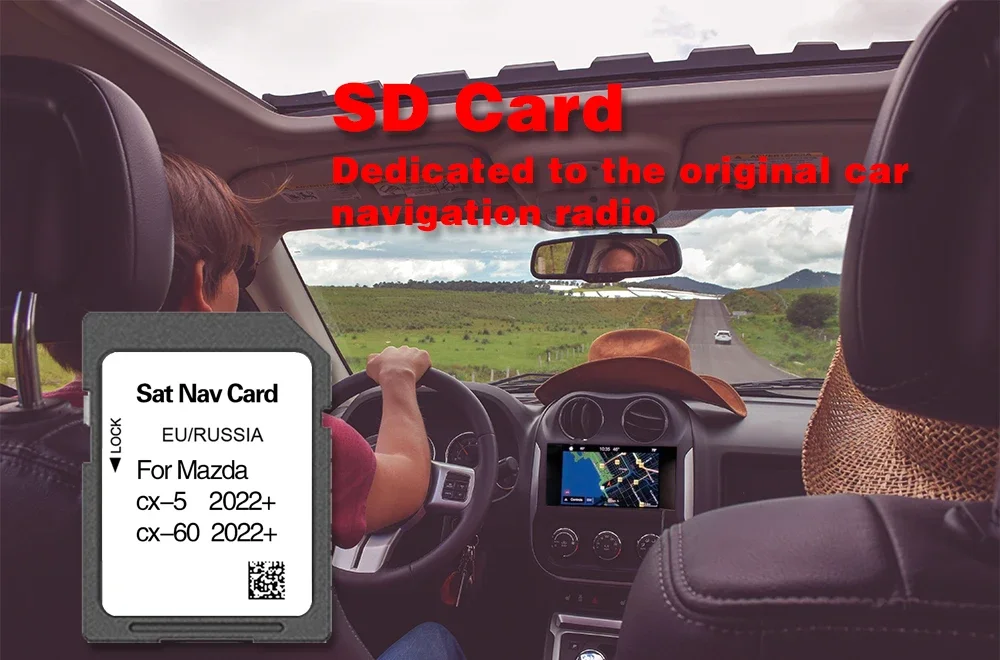
32GB SD Map Card for Mazda CX-5 2022 Europe Automobile Navigation Accessories GPS Road Version Tracking
$122.71
Reference price: $157.34
Save 22%
Qty:
- Fast delivery
- 30-day returns
Ships to Canada · Delivery Varies by item and destination
Sold by TBII
Product details
| Capacity | 32GB |
|---|---|
| Size | 24x32x2.1mm (0.94x1.25x0.08inches) |
Notice:
(1).Dear buyer, please carefully read whether your model is compatible with the model we provide before you order.
(2).If you ignore this information and make an error,we will not bear the freight sent back.
(3).Your car needs to be equipped with a satellite navigation system to use it, otherwise nothing will happen after inserting the card.
Compatibility:
Please check compatibility BEFORE purchase:
(Cars with Mazda Connect navigation system)
· Mazda CX-60 (since 2022+ onwards)
· Mazda CX-5 (since 2022+ onwards)
with 10.25 inches / 26 cm display
(from VIN JM********350001 till JM********599999)
Countries included:
Austria, Albania, Andorra, Belarus, Belgium, Bolgaria, Bosnia Herzegovina, Hungary, Germany, Gibraltar, Vatican, Greece, Denmark, Ireland, Iceland, Spain, Italy, Kazahstan, Kosovo, Latvia, Lithuania, Liechtenstein, Luxembourg, Malta, Moldova, Monaco, Montenegro, Netherlands, Norway, Poland, Portugal, Macedonia, Russia, Romania, San Marino, Serbia, Slovenia, Slovakia, United Kingdom, Turkey, Ukraine, Finland, France, Croatia, Czech republic, Switzerland, Sweden, Estonia.
Supported languages:
English, French, Dutch, Italian, Portuguese, Espanol, Netherlands, Dansk, Russian, Svenska, Suomi, Norsk, Cestina, Slovensky, Magyar, Turke, Polski, Eesti, Latviesu valoda, Lietuviu, Greece, Hrvatski, Bulgarian, Romana, Srpski, Hebrew, Ukranian.
How to install:
(1).When the vehicle is powered off, insert card.
(2).Turn your ignition on and click the Navi button.
(3).After entering the navigation menu, you wil be prompted to lock the SD card to your vehicle. Click "Yes".
(4).You are good to go!




(1).Dear buyer, please carefully read whether your model is compatible with the model we provide before you order.
(2).If you ignore this information and make an error,we will not bear the freight sent back.
(3).Your car needs to be equipped with a satellite navigation system to use it, otherwise nothing will happen after inserting the card.
Compatibility:
Please check compatibility BEFORE purchase:
(Cars with Mazda Connect navigation system)
· Mazda CX-60 (since 2022+ onwards)
· Mazda CX-5 (since 2022+ onwards)
with 10.25 inches / 26 cm display
(from VIN JM********350001 till JM********599999)
Countries included:
Austria, Albania, Andorra, Belarus, Belgium, Bolgaria, Bosnia Herzegovina, Hungary, Germany, Gibraltar, Vatican, Greece, Denmark, Ireland, Iceland, Spain, Italy, Kazahstan, Kosovo, Latvia, Lithuania, Liechtenstein, Luxembourg, Malta, Moldova, Monaco, Montenegro, Netherlands, Norway, Poland, Portugal, Macedonia, Russia, Romania, San Marino, Serbia, Slovenia, Slovakia, United Kingdom, Turkey, Ukraine, Finland, France, Croatia, Czech republic, Switzerland, Sweden, Estonia.
Supported languages:
English, French, Dutch, Italian, Portuguese, Espanol, Netherlands, Dansk, Russian, Svenska, Suomi, Norsk, Cestina, Slovensky, Magyar, Turke, Polski, Eesti, Latviesu valoda, Lietuviu, Greece, Hrvatski, Bulgarian, Romana, Srpski, Hebrew, Ukranian.
How to install:
(1).When the vehicle is powered off, insert card.
(2).Turn your ignition on and click the Navi button.
(3).After entering the navigation menu, you wil be prompted to lock the SD card to your vehicle. Click "Yes".
(4).You are good to go!
| Category | Automobile › Car Electronics › Car Displays |
|---|---|
| Availability | In stock |
| Ships to | Canada |
| Buyer Guarantees | 15-Day No Update Refund & 60-Day No Delivery Refund |
No reviews yet
Be the first to share what you think of this product.


Fast Delivery
Nationwide shipping
Best Price Guarantee
We'll match any price
30-Day Returns
Unused items in original packaging
Secure Checkout
256-bit SSL encrypted