

ANENG B22 2 IN 1 Non Contact Voltage Detector Pen AC 30~1000V Tester Rechargeable Live Wire Breakpoint Finder Indicator Electri
- Fast delivery
- 30-day returns
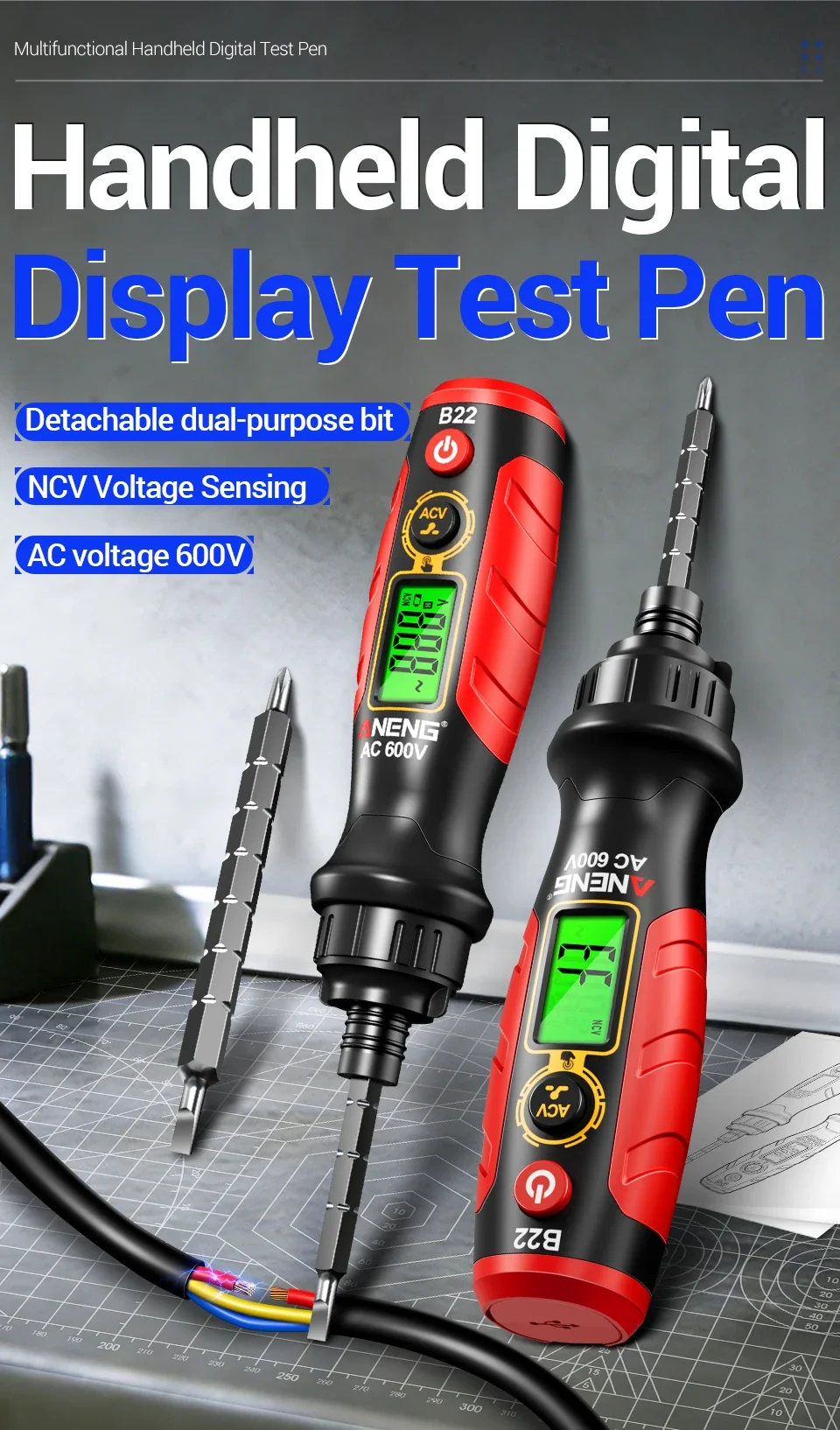
ANENG B22 2-in-1 Digital Voltage Tester & Screwdriver
Overview:
Professional electrician level safety inspection+practical screwdriver in one
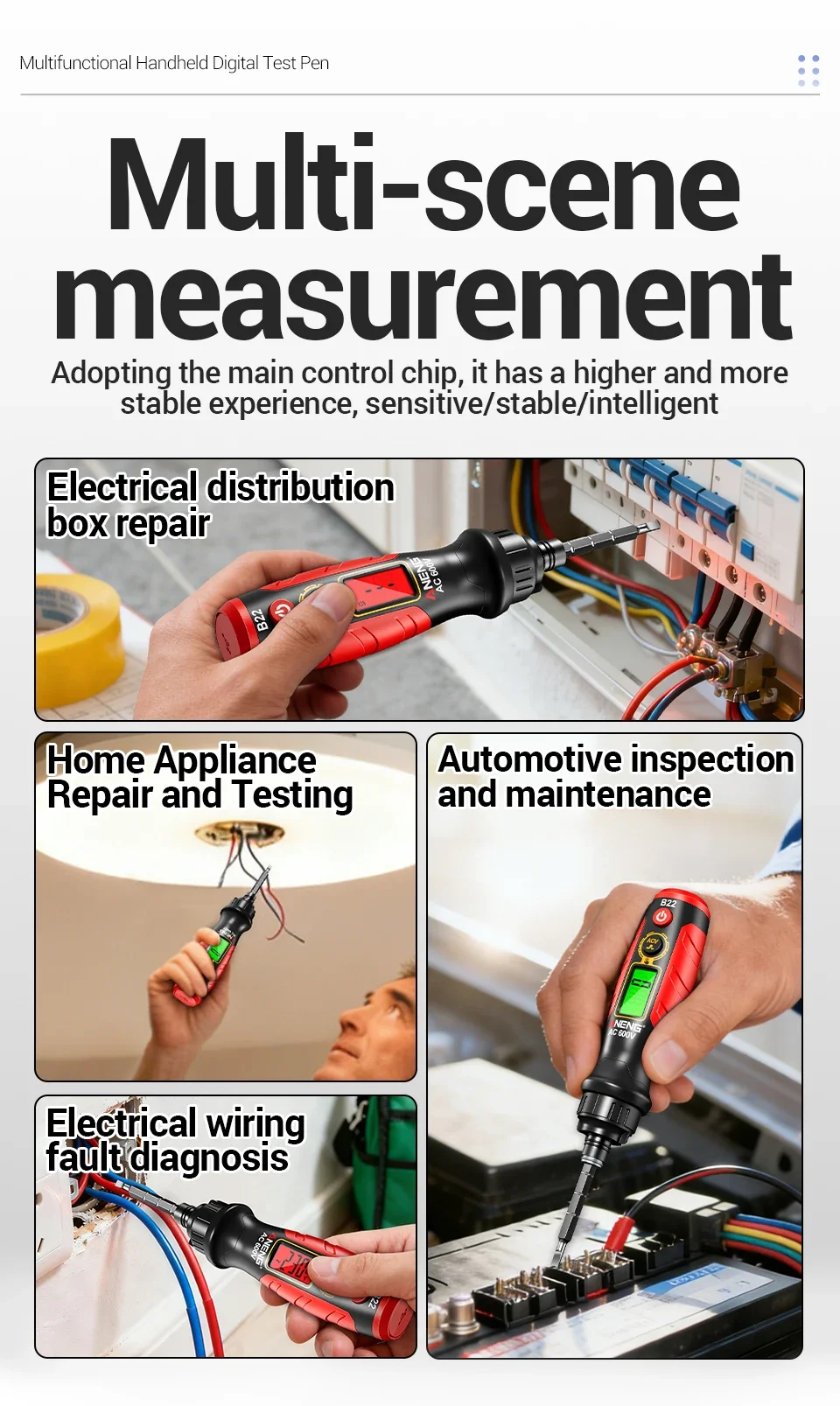
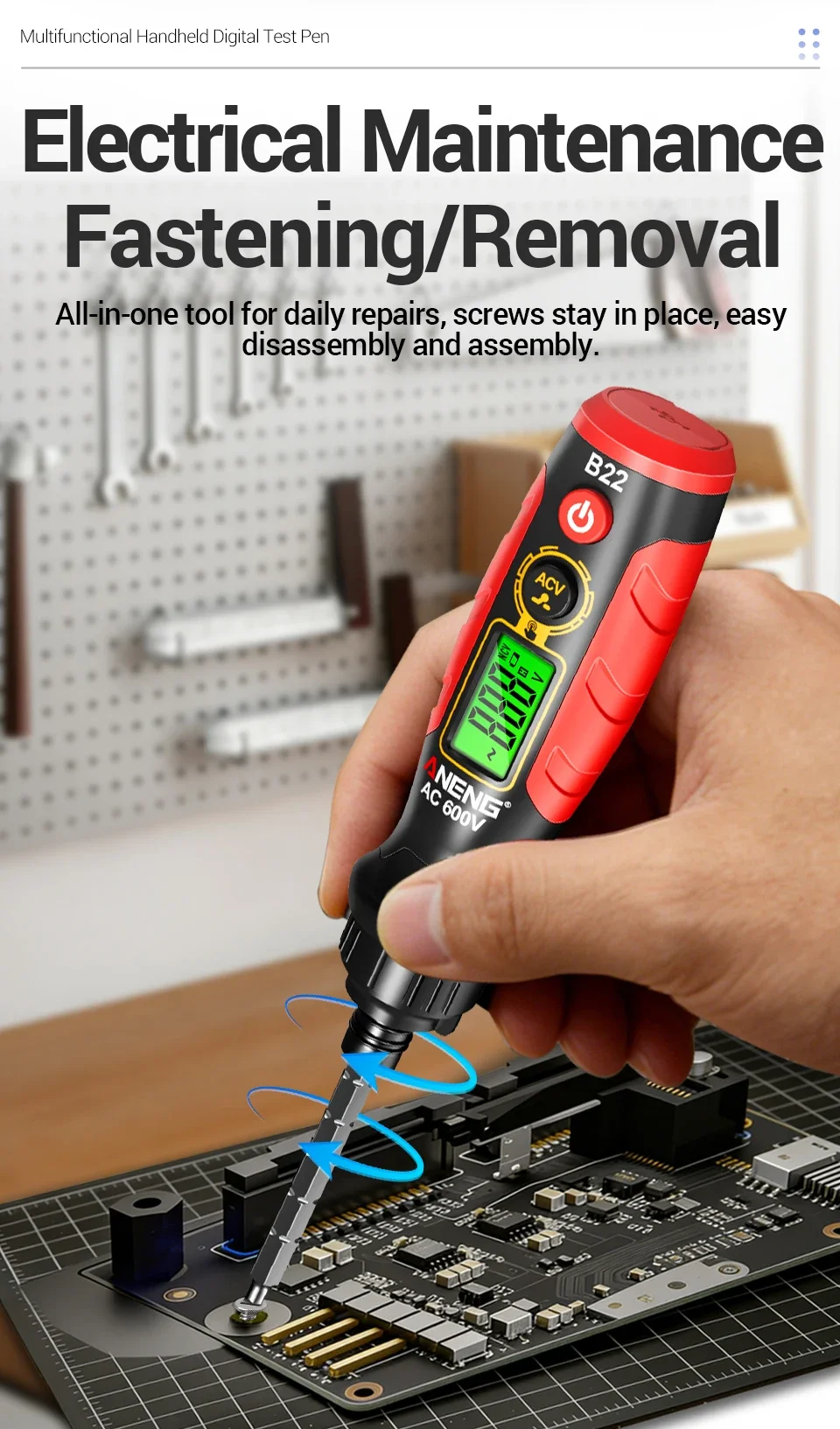
Say goodbye to bulky toolkits! B22 is not only a high-precision voltage measuring pen, but also a practical Phillips/Phillips screwdriver. It can be used for home maintenance, electrical wiring, and line inspection in one set.
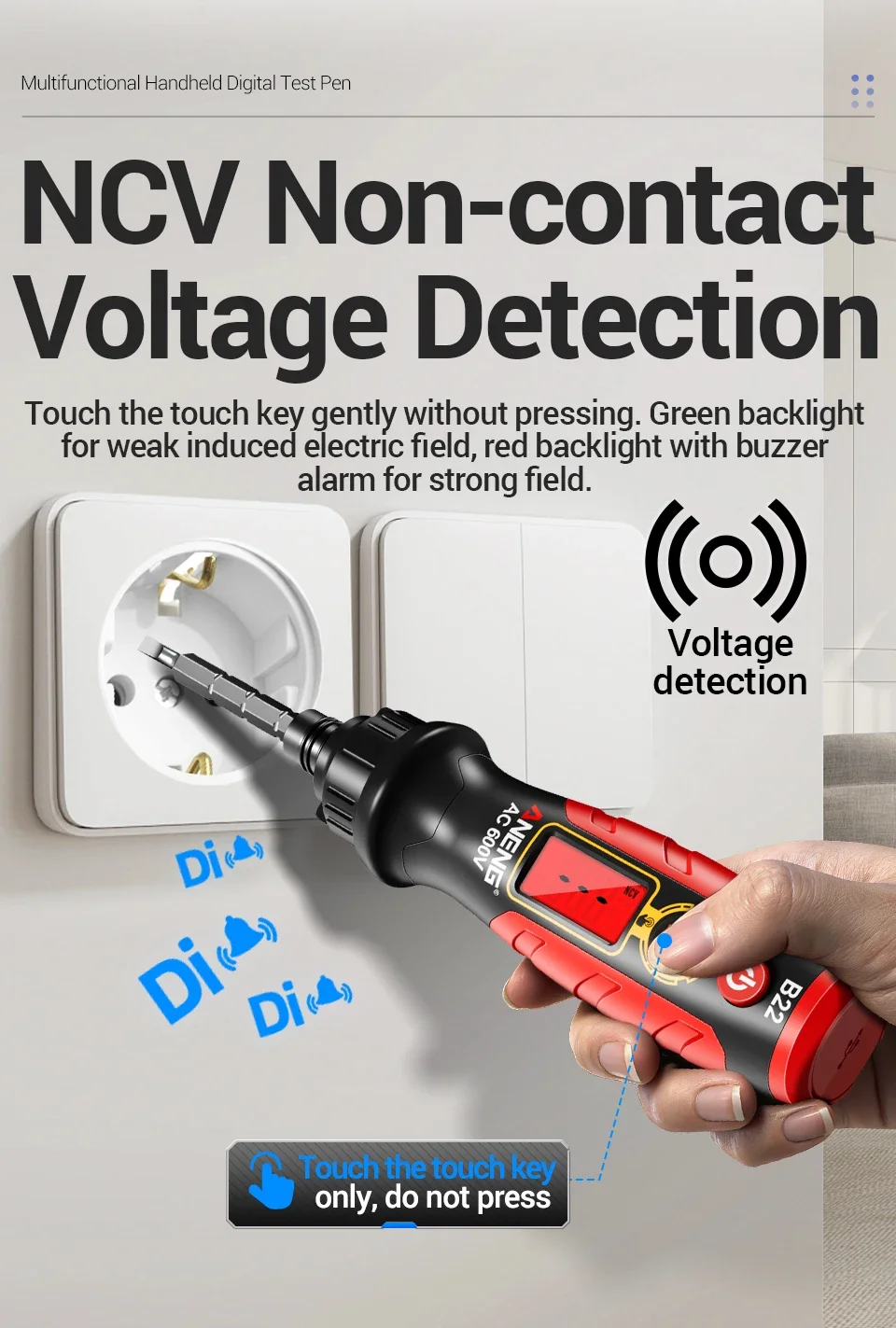
✅ Non contact NCV detection, away from the risk of electric shock
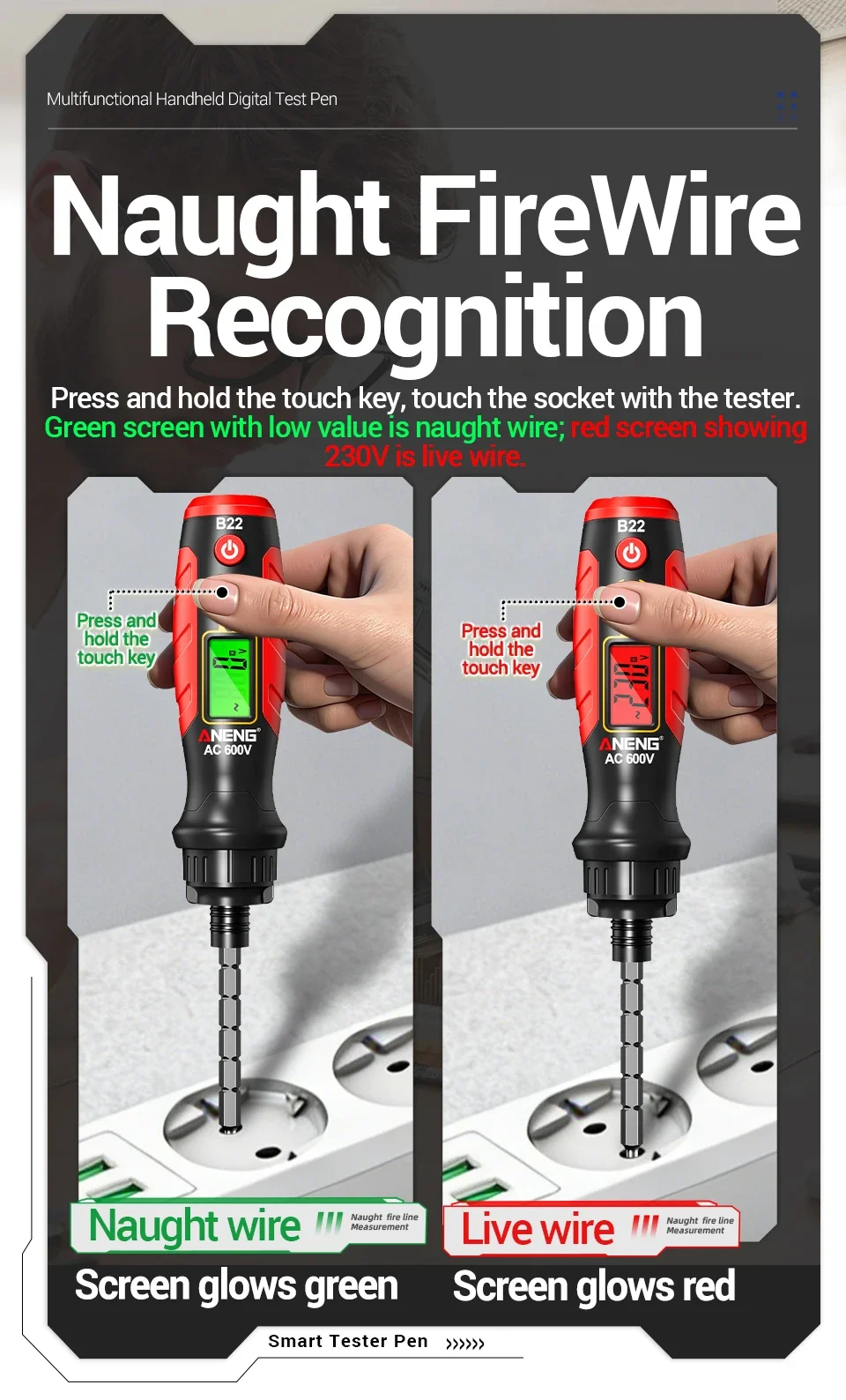
✅ One click distinction between neutral and live wires to eliminate the risk of reverse connection
✅ Fault location+on/off buzzing, doubling the efficiency of troubleshooting
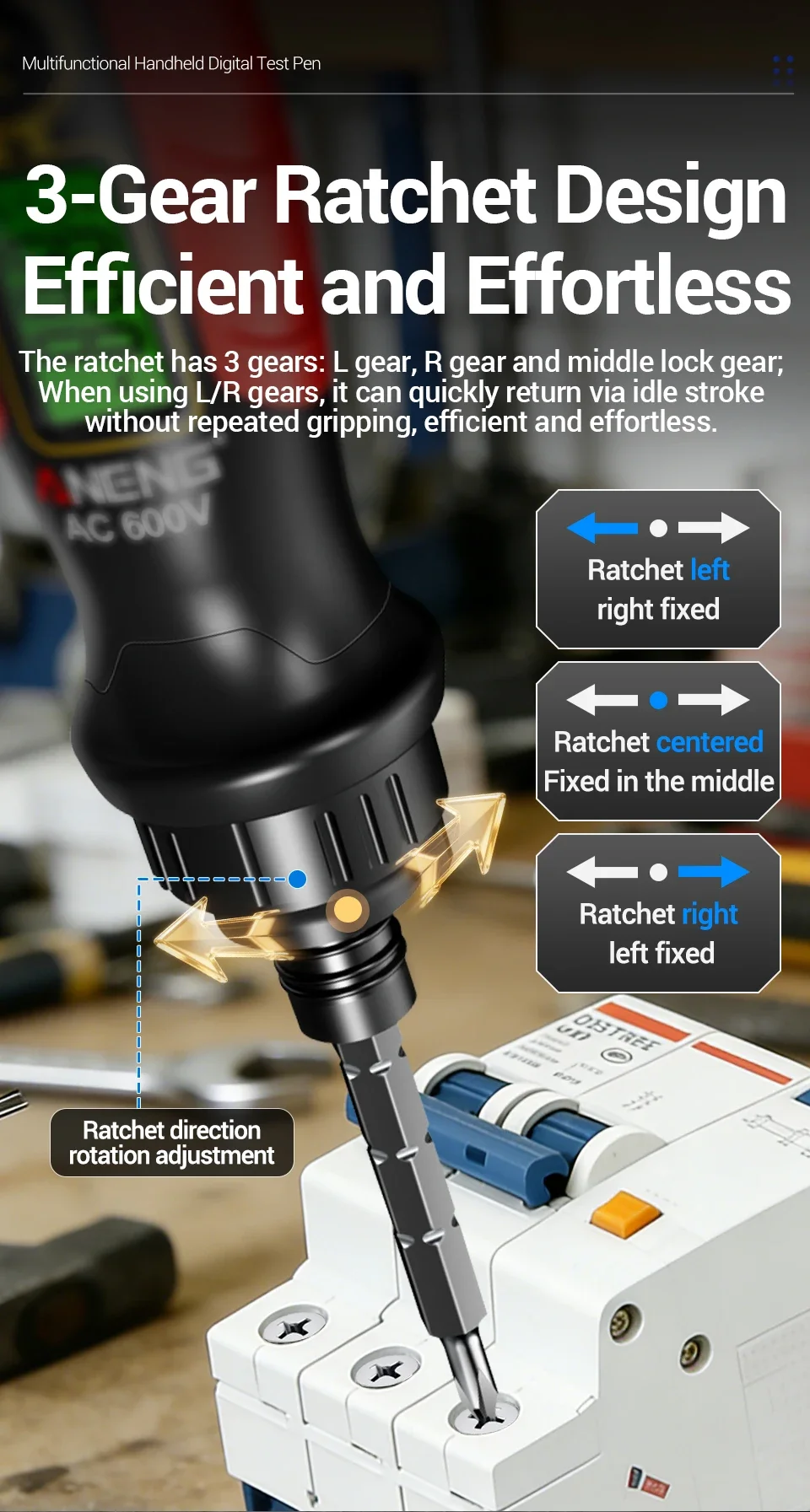
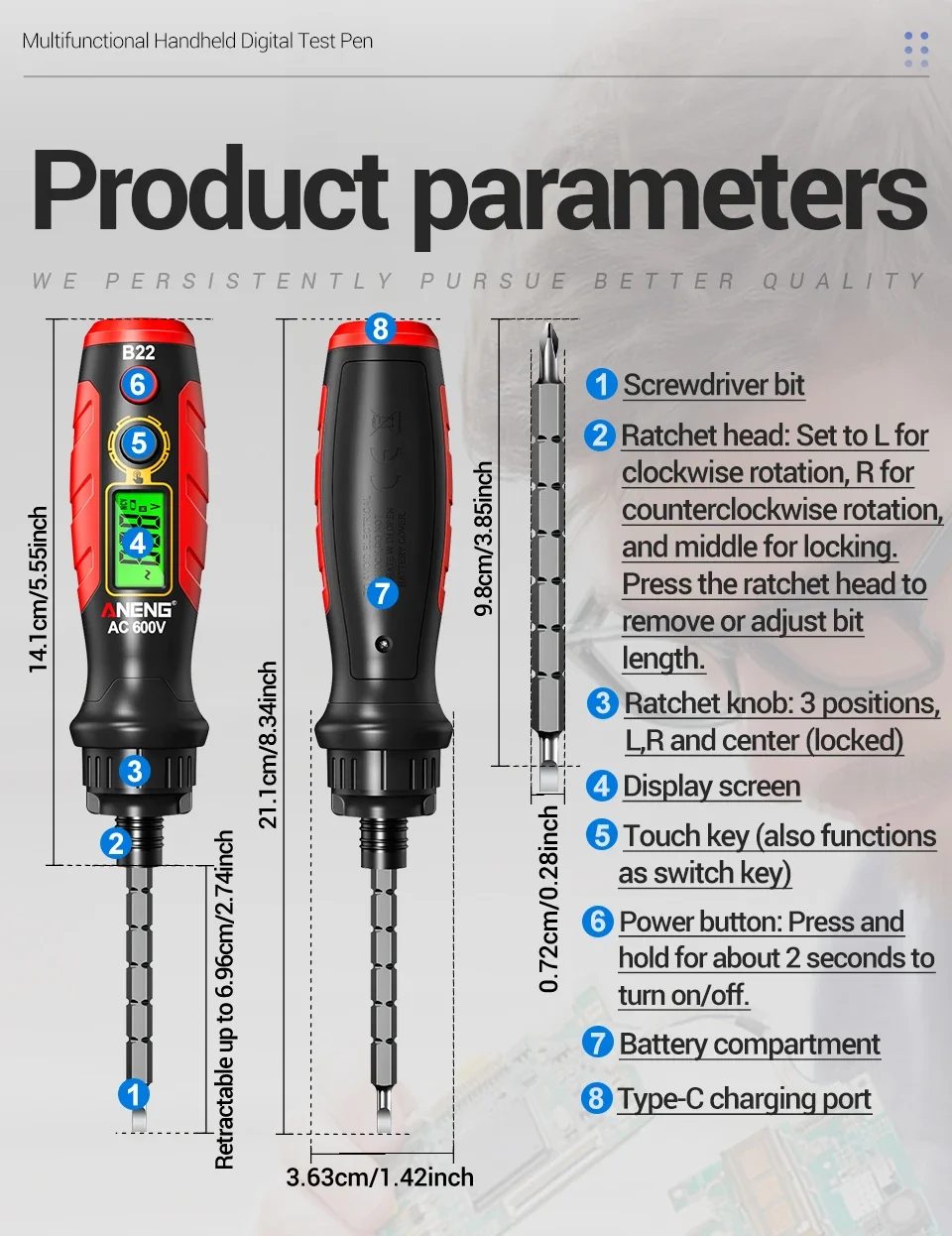
✅ Ratchet screwdriver design, easy and worry free disassembly and assembly
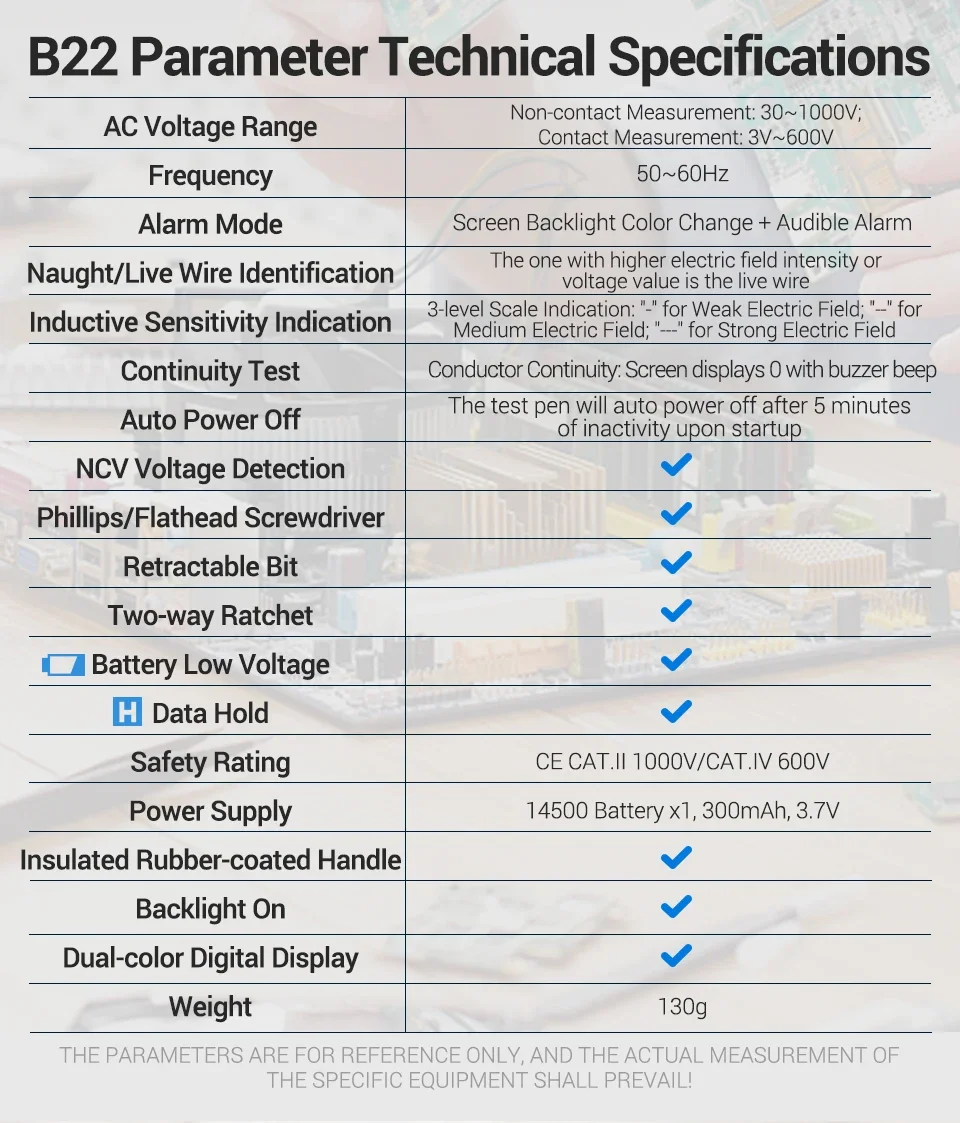
B22 Parameters:
AC Voltage Range | Non-contact Measurement:30~1000V;Contact Measurement:3V~600V |
Frequency | 50~60Hz |
Alarm Mode | Screen Backlight Color Change+Audible Alarm |
Live/Neutral Wire Identification | The one with higher electric field intensity or voltage value is the live wire |
Inductive Sensitivity Indication | 3-level Scale Indication:"-"for Weak Electric Field;"--"for Medium Electric Field;"---"for Strong Electric Field |
Continuity Test | Conductor Continuity:Screen displays 0 with buzzer beep |
Auto Power Off | The test pen will auto power off after 5 minutes of inactivity upon startup |
NCV Voltage Detection | √ |
Phillips/Flathead Screwdriver | √ |
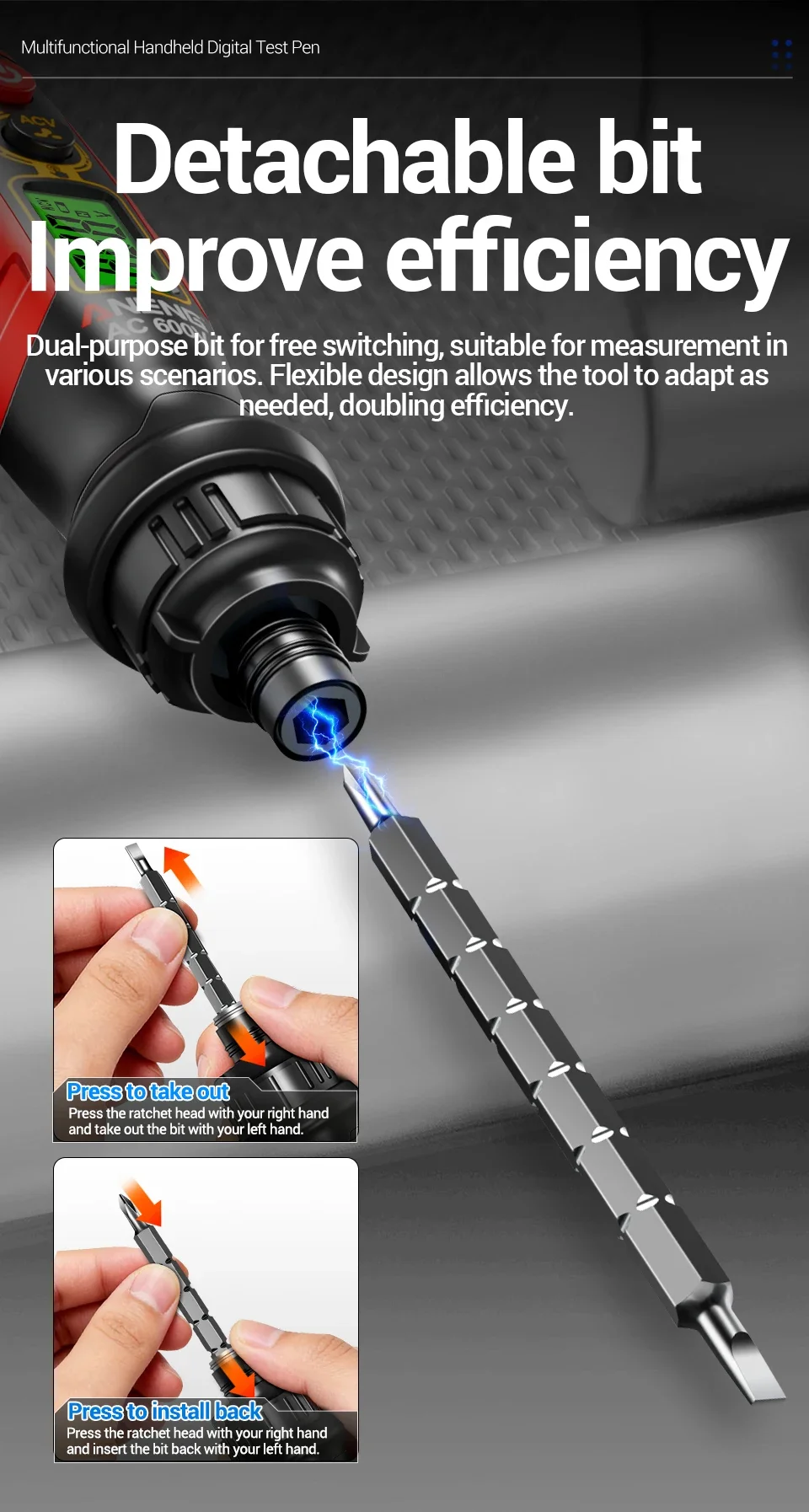
Retractable Bit | √ |
Two-way Ratchet | √ |
Battery Low Voltage | √ |
Data Hold | √ |
Safety Rating | CE CAT.II 1000V/CAT.IV 600V |
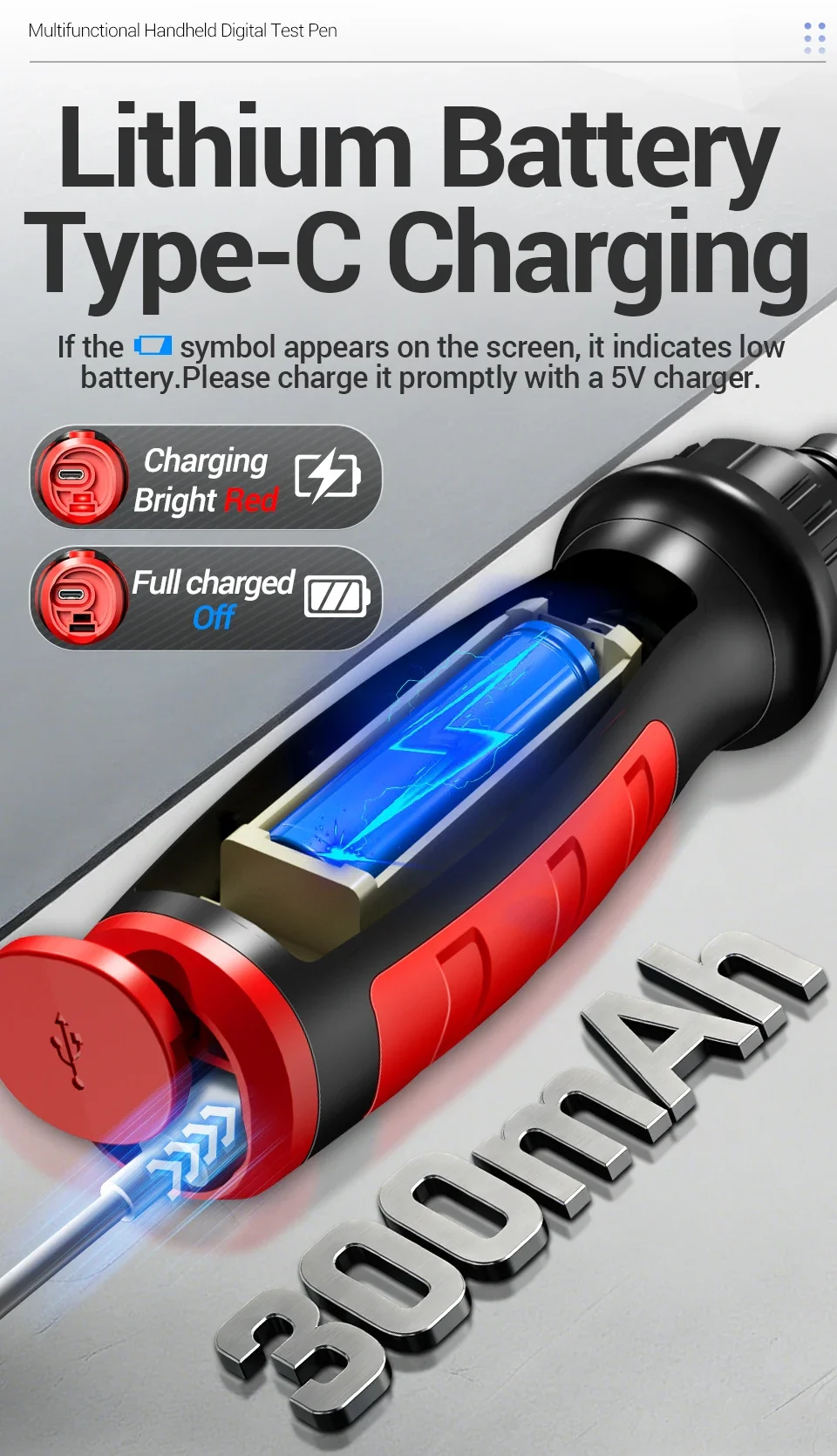
Power Supply | 14500 Batteryx1,300mAh,3.7V |
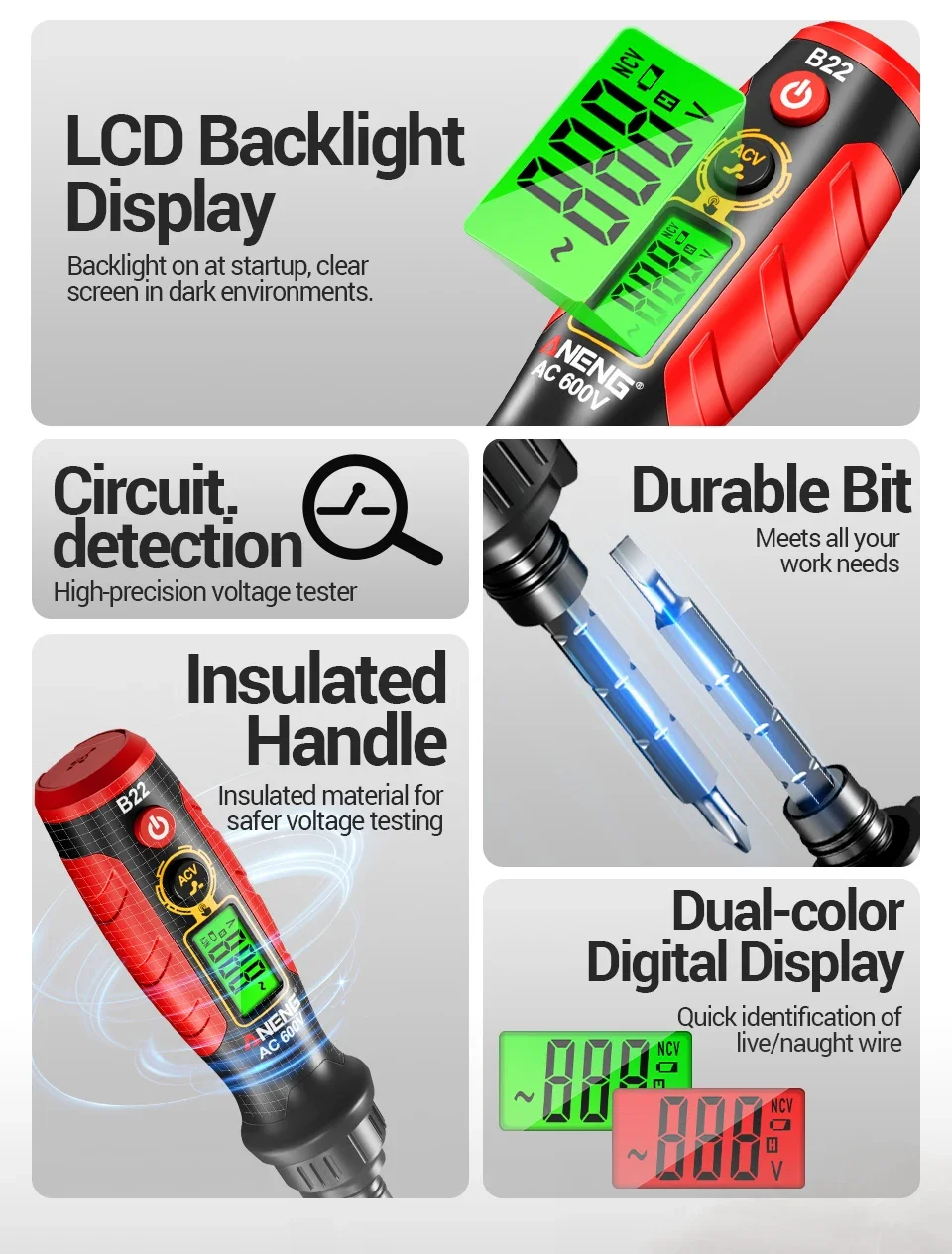
Insulated Rubber-coated Handle | √ |
Backlight On | √ |
Dual-color Digital Display | √ |
THE PARAMETERS ARE FOR REFERENCE ONLY, AND THE ACTUAL MEASUREMENT OF THE SPECIFIC EQUIPMENT SHALL PREVAIL!
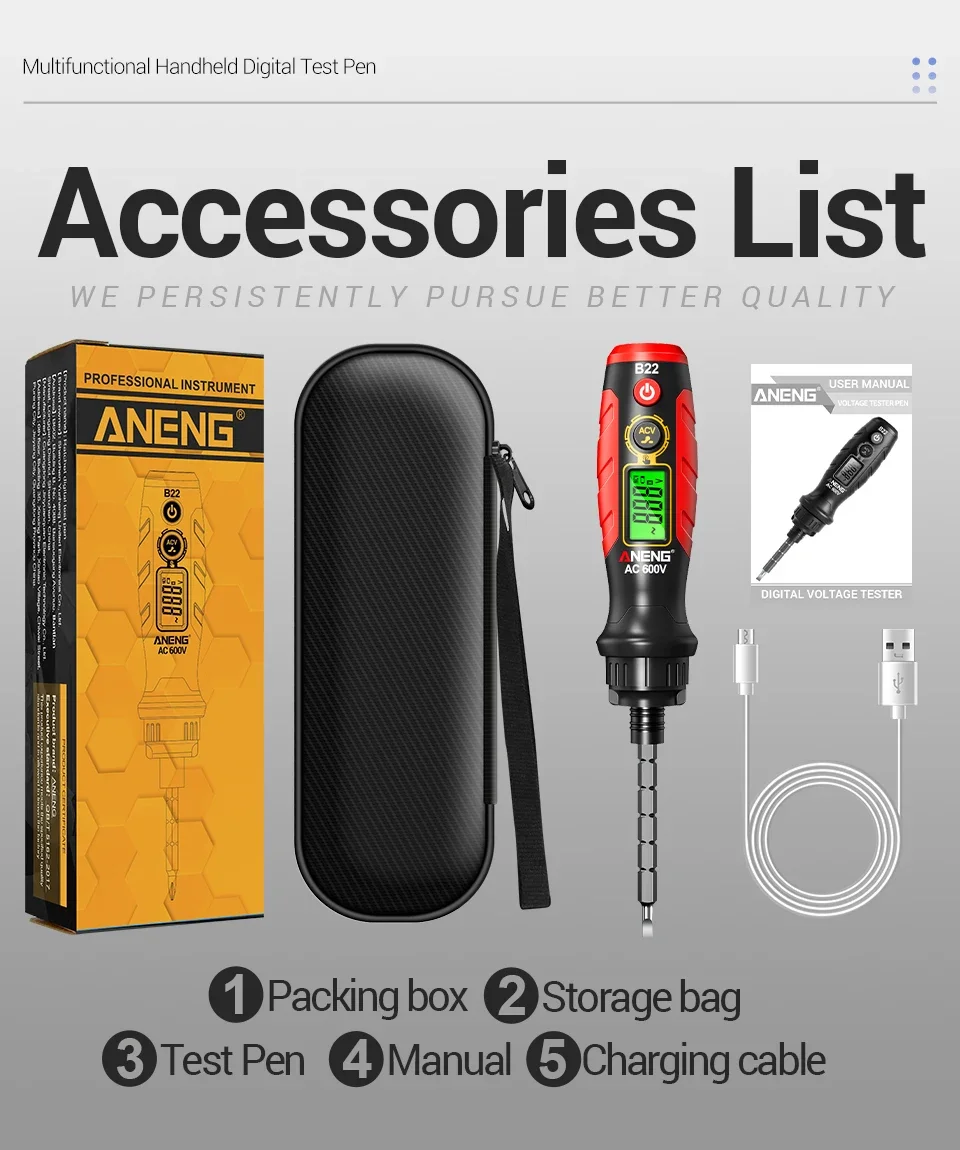
Packing:
1 * Test Pen
1 * Packing box
1 * Storage bag
1 * Manual
1 * Charging cable
Safe work habits:
*If the test pen is used near equipment with high electromagnetic interference, the measurement results may have significant errors.
*When the appearance of the electric pen is damaged, please do not use it.
*Extreme care must be taken when working around exposed conductors or buses.
*Do not use this electric pen near danger gases, vapors, or dust.
*When the measured voltage exceeds the effective value of 60Vdc or 30Vac, please handle with caution to prevent electric shock.
*When using a voltage tester, do not touch the metal parts of the batch head with your hands to avoid electric shock and personal injury.
FAQ:
Q1: What voltage scenarios can be detected?
A1: Supports scenarios such as household sockets, lighting circuits, switch wiring, low-voltage appliances, etc., with full coverage of non-contact 30-1000V and contact 3-600V.
Q2: Is the identification of the neutral line accurate?
A2: Based on the difference in electric field strength, combined with sound and light dual prompts, the accuracy of daily household scenes is high, which can assist in quickly distinguishing lines.
User Guide
1Touch and switch key function
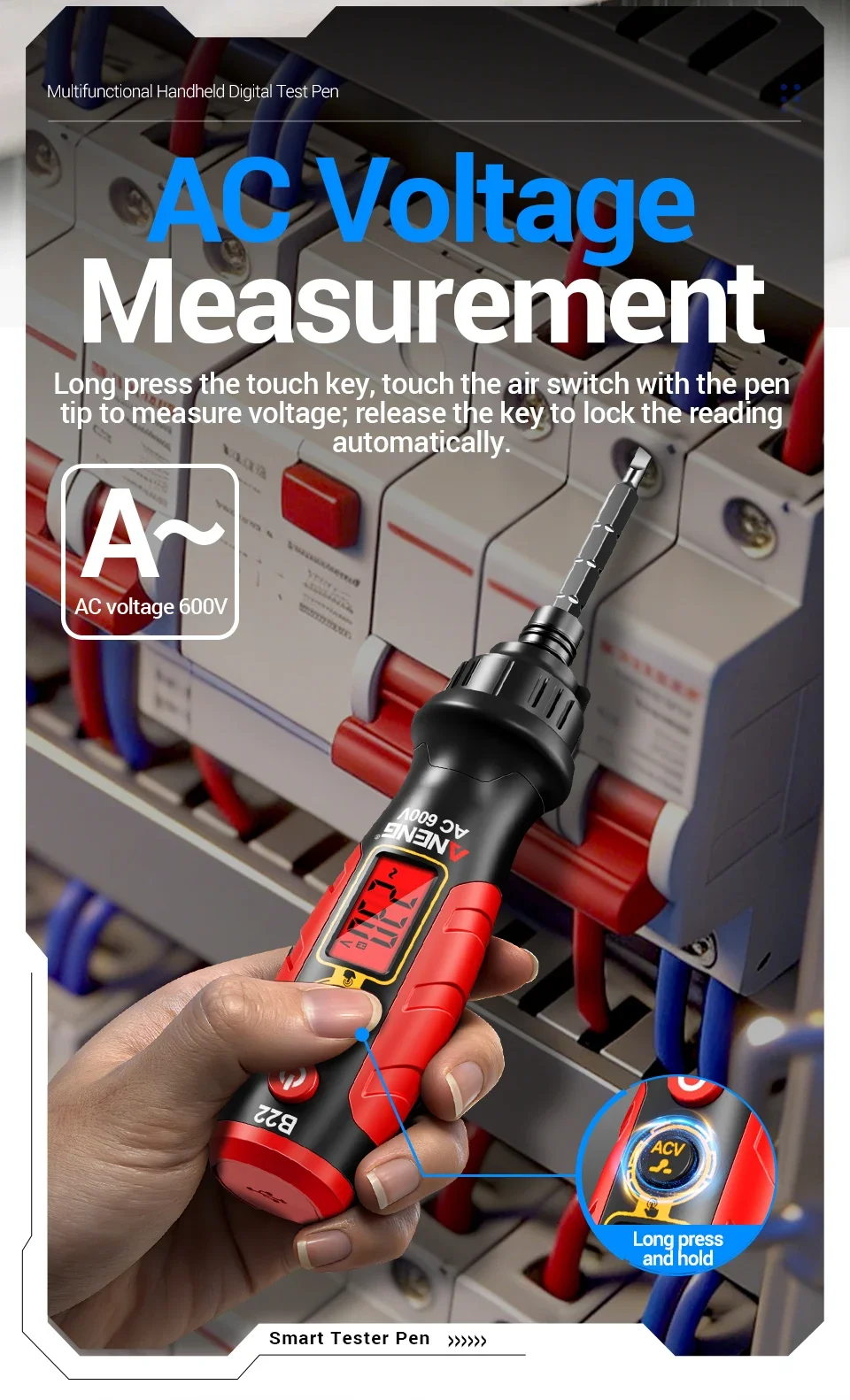
After startup, it defaults to non-contact voltage measurement mode. Press and hold the [touch key] to switch to digital contact voltage measurement mode; If the screen displays a valid value (non-zero), releasing the button will automatically lock the value. If there is no valid reading when released, return to non-contact measurement mode. After locking, press and hold the switch button again to re-enter the digital contact voltage measurement mode.
2Non Contact Measurement (NCV)
By default, the device enters non-contact voltage measurement mode when turned on, with EF displayed on the screen. Hold the pen body with one hand and ensure that the human body is in full contact with the [touch key] (cannot be pressed). Use the pen head to sense possible charged objects. If the conductor is charged and the AC electric field strength around the charged conductor is sufficient for the pen to recognize, the display screen will show the corresponding induced voltage strength and color based on the strength of the electric field, and the internal buzzer will sound an alarm.
3Contact measurement and on-off measurement
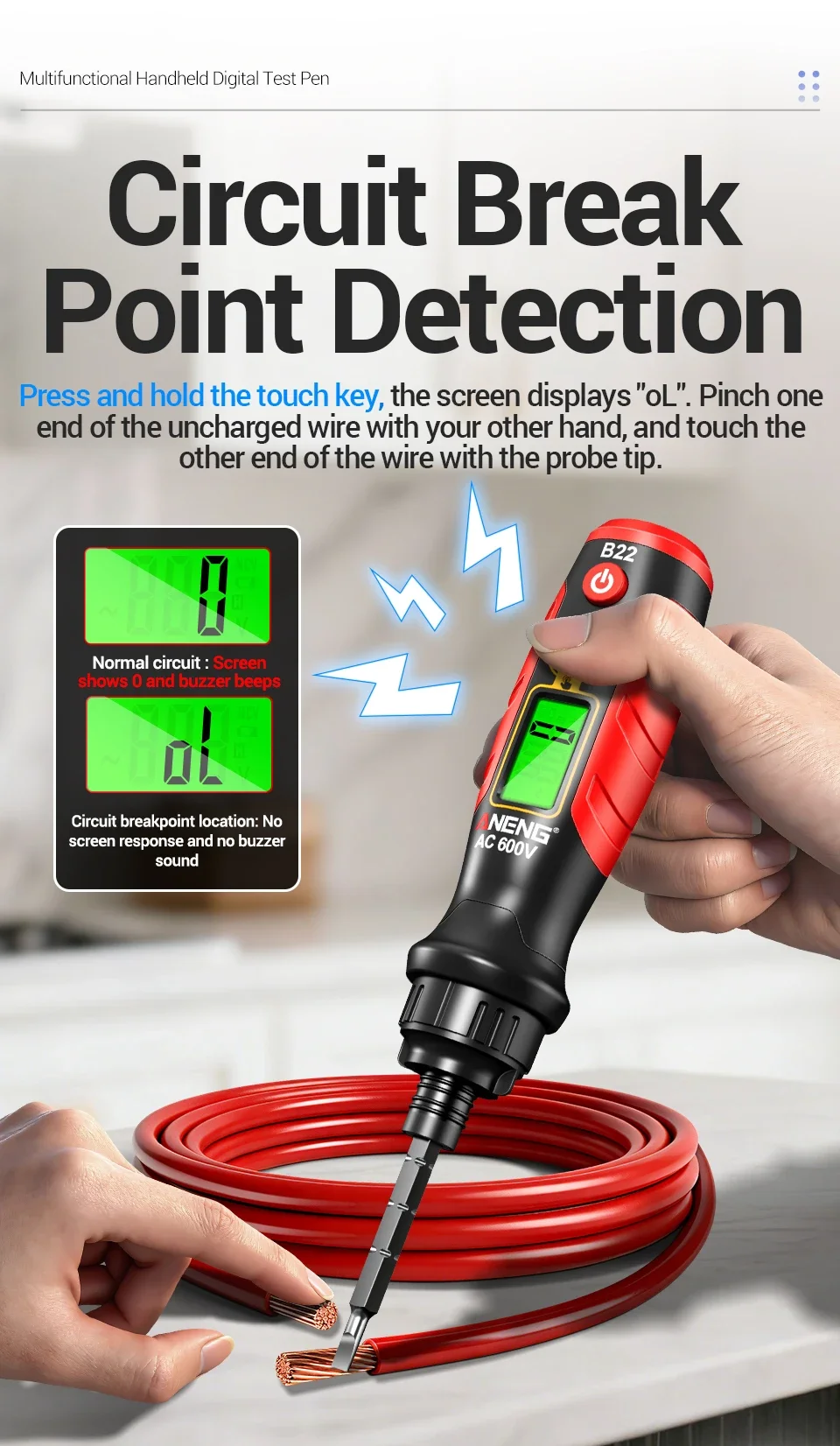
By default, the device enters non-contact voltage measurement mode when turned on. Press and hold the [touch key] with bare hands to enter the digital contact voltage measurement and automatic recognition mode for on/off, and the screen displays oL.
1) Digital voltage measurement: Press the [touch button] with bare hands and use the batch head to touch possible charged objects. If the conductor is charged and the charged voltage is ≥ 3V AC voltage, the display screen will display the corresponding contact voltage value and color according to the voltage level, and the internal buzzer will sound an alarm. Release the button to lock the current value for easy reading.
2) On/off measurement: Press the [touch button] with bare hands, and make full contact with one end of the uncharged wire with the other hand. Use the pen tip to touch the exposed part of the wire at the other end. If the wire is connected, the pen will display 0 and the buzzer will sound.
| Category | DIY, Tools & Hardware › Tools & Equipment › Measuring Tools |
|---|---|
| Availability | In stock |
| Ships to | Canada |
| Buyer Guarantees | 15-Day No Update Refund & 60-Day No Delivery Refund |
No reviews yet
Be the first to share what you think of this product.


