

ESUN PLA Matte 3D Printer Filament 1.75mm Dimensional +/- 0.03mm 1KG (2.2 LBS) Spool 3D Printing Material For 3D Printers
- Fast delivery
- 30-day returns
Product details
| Brand Name | ESUN |
|---|---|
| Material | PLA |
| Model Number | ePLA-Matte |

eSUN 3D Printer Filament ePLA-Matte 1.75mm Dimensional Accuracy +/- 0.03mm 1KG (2.2 LBS) Spool 3D Printing Material For 3D Printers
Material:ePLA-Matte
Color:White,Black,Yellow,Grey,Pink,Green
Filament Diameter: 1.75mm
Print Temperature:190-230°C
Print Speed: 40 - 100mm/s
Heat-Bed Temperature: 60°C
Density: 1.26g/m3
Net Weight: 1KG(2.2LBS)
NOTICE: 3D Printing Troubleshooting Guide is at the bottom of the detail page.

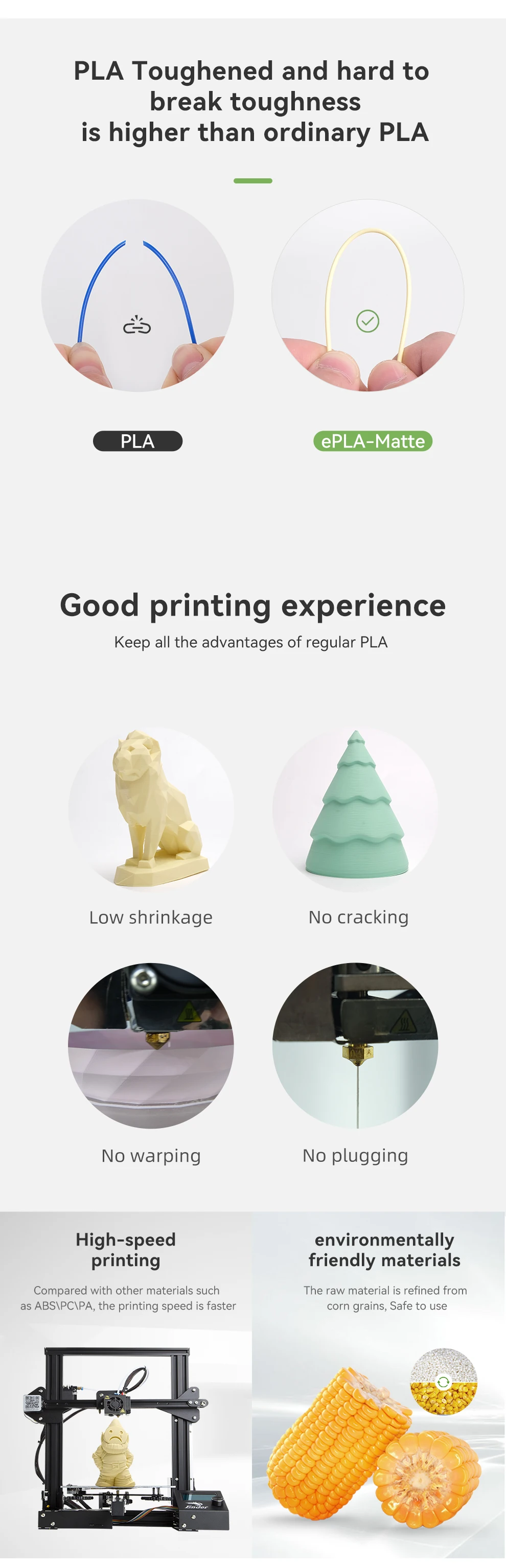
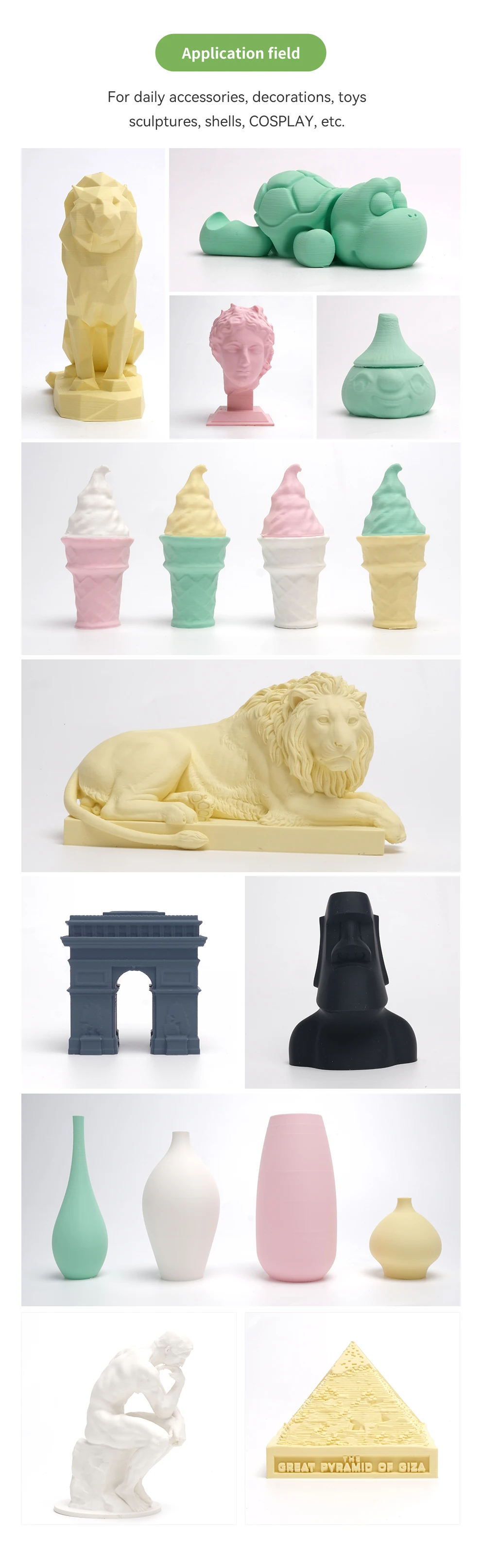
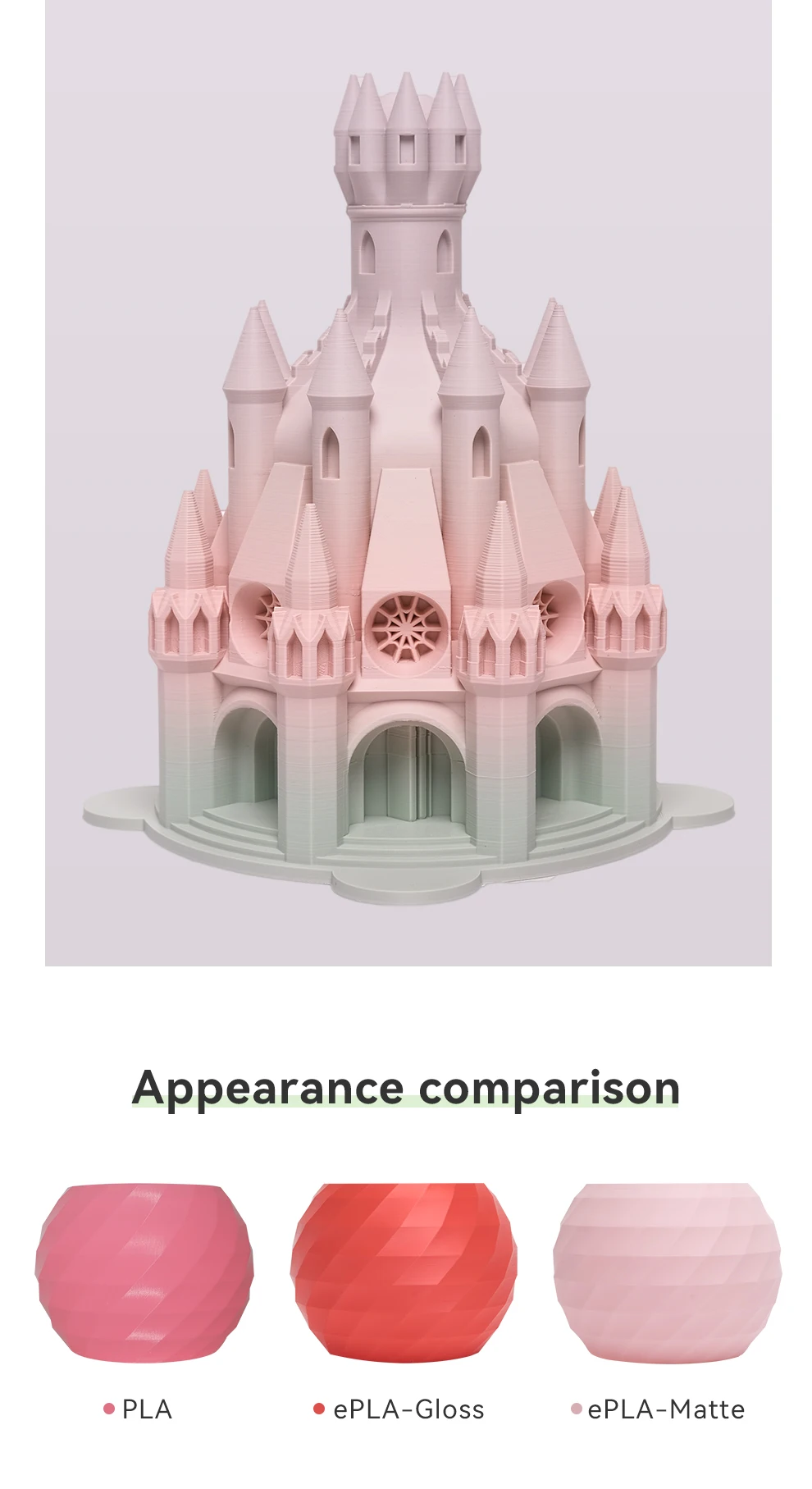
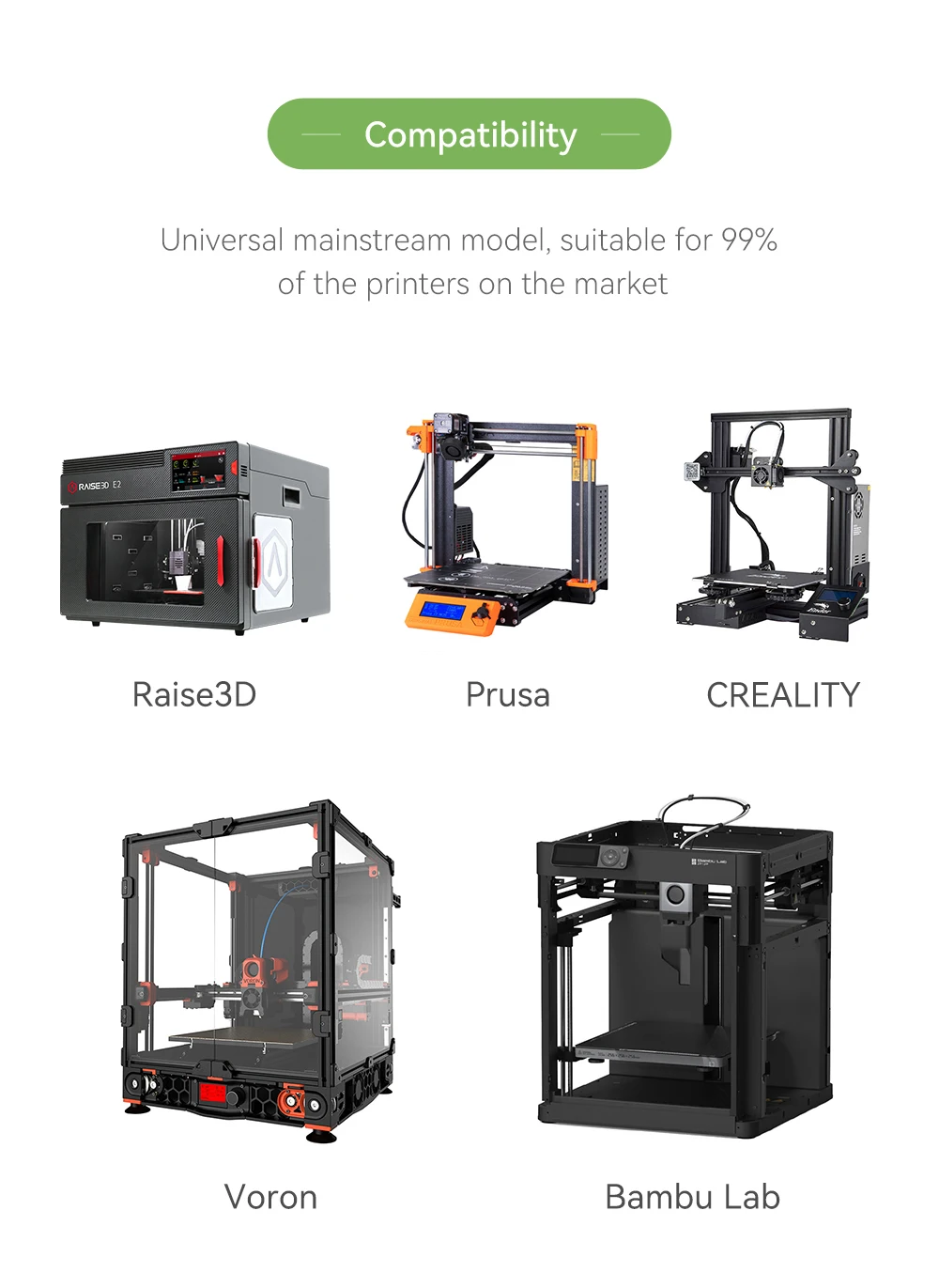
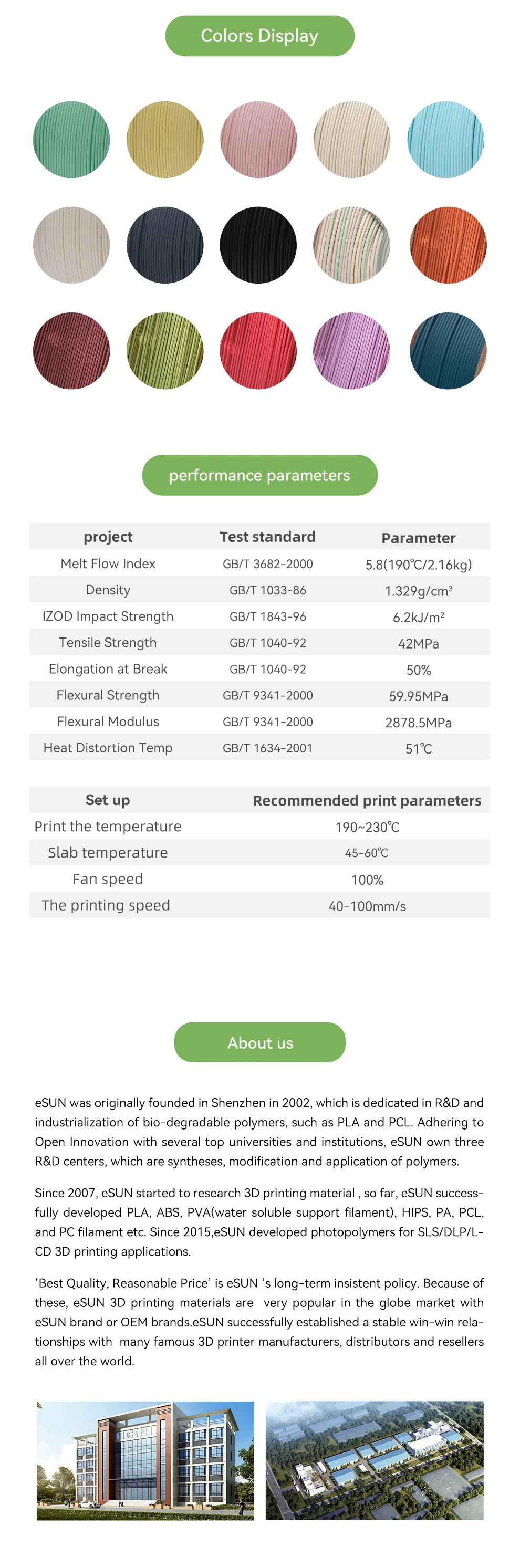
3D Printing Troubleshooting Guide
Nozzle clog &Poor extrusion output
Obvious issues(as below)
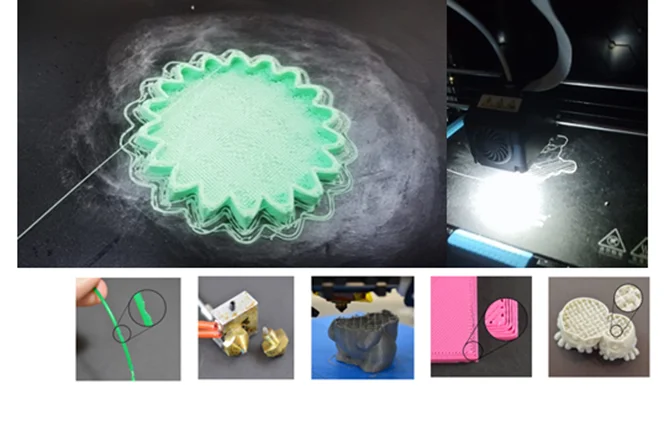
Suggested solutions:
1. When we met these situations, it is recommended that the printing temperature should raise to 230 ℃, adjust printing speed to 40mm/s, reduced the layer thickness to 0.1mm, then test if it works.
2. If the first step can not solve the problem, need to exclude hardware problems: pull out the front end of the PTFE Pipe Hose to check if it is darken or not , if yes, need replace a new one with nozzle together, because the pipe is already aging.(When replacing, notice that the nozzle need to be tightened with heat)
3. Check the extruder gears, whether the bite is normal, it is recommended that in the case of normal feeding, try to loose the extruder spring.
Non-stick platform, warped edges
Obvious issues(as below)
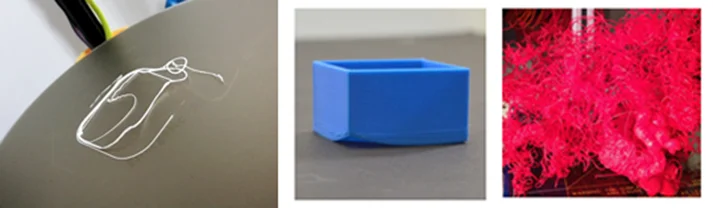
Suggested solutions:
1. It is recommended to re-level first, the nozzle is too close to the platform will cause the first layer easy to overflow, if too far the first layer can not stick to the platform; if the four corners leveling difference is too large, it may lead to warp from a farther corner.
2. Adjust slicing parameters, the first layer extrusion rate is recommended to be set higher than 100%, the first layer speed set to 10mm/s (refer to the figure below), close the first layer blowing fan, the platform should set to 45-60℃, raft and brim should also adjust to improve the platform's adhesion.
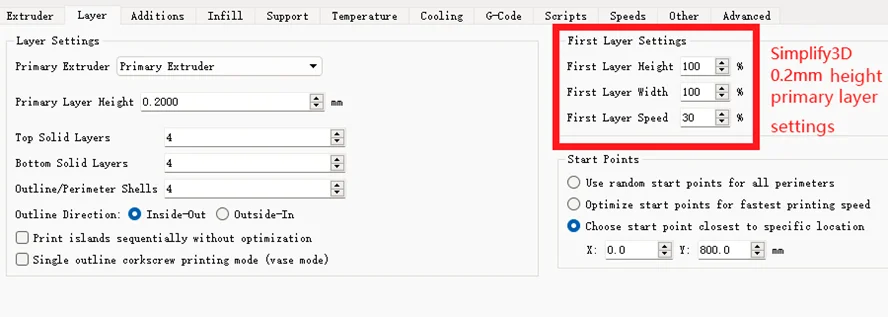
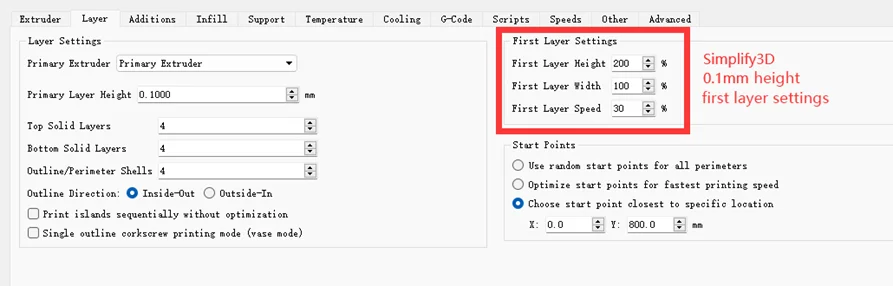
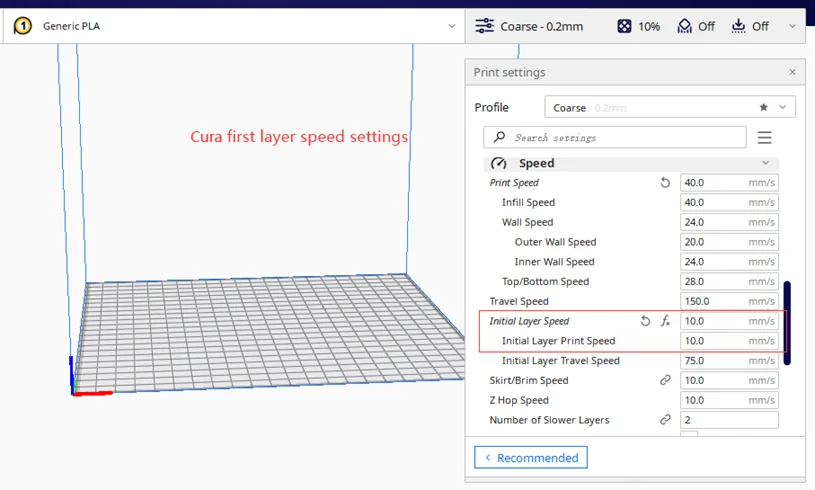
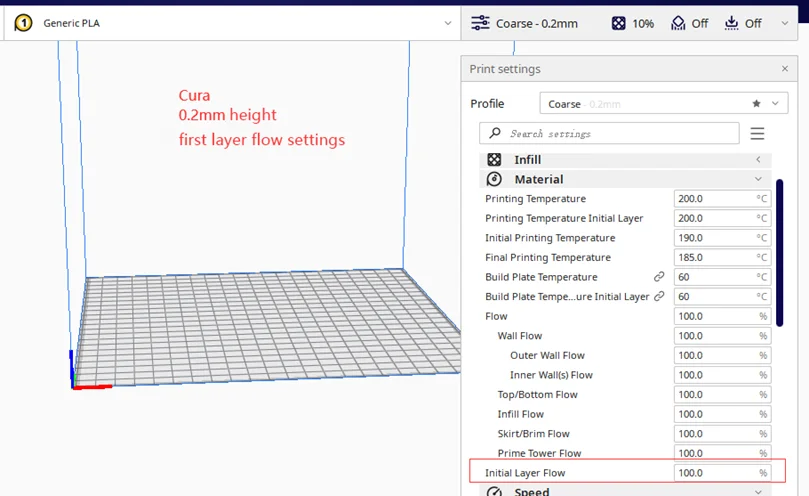
3. If these measures can not solve the problem, it is recommended that the platform coated with PVP solid glue or 3DLac Spray to increase
material adhesion, some lattice base plate may not stick, it can be replaced with pure glass base plate, the adhesion will be better.
4. Winter temperature is too low, PLA-Type materials may also be warped, you can properly open the air conditioner or use eSUN eEnclosure to print or properly reduce the speed of the blowing fan, such as adjusting to 50%.
| Category | Tech & Electronics › Peripherals & Accessories › Printers & Scanners |
|---|---|
| Availability | In stock |
| Ships to | Canada |
| Buyer Guarantees | 15-Day No Update Refund & 60-Day No Delivery Refund |
No reviews yet
Be the first to share what you think of this product.


